Summary
Power BI gets user-defined functions with threshold markers that enhance reporting.
Power BI: user-defined functions with threshold markers
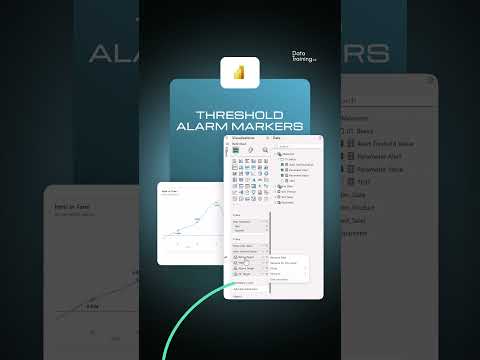
The latest update to Power BI introduces user-defined functions that allow users to set threshold markers. This feature enhances reports by adding visual indicators that automatically respond to data values, enriching the user experience.
Why this is important
This development fits into the broader trend of user-centric, self-service analytics within business intelligence. Competitors like Tableau and Qlik are offering similar innovations, but Power BI continues to lead by integrating features that increase user engagement and simplify data visualization. This strengthens Power BI's position as a leading tool in the BI market, particularly for organizations looking to promote data democratization.
Concrete takeaway
BI professionals should embrace and integrate these new user-defined functions in their analytical workflows. Utilizing threshold markers can enhance the adoption of BI tools within the organization and support better data-driven decision-making.
Deepen your knowledge
Knowledge Base
What is Power BI? Everything you need to know
Discover what Microsoft Power BI is, how it works, what it costs, and why it's the world's most popular BI tool. Complet...
Knowledge BasePower BI Licensing & Costs — Complete overview 2026
Complete overview of all Power BI licenses and costs in 2026: Free, Pro, Premium Per User (PPU), and Microsoft Fabric. I...
Knowledge BaseAI in Power BI — Copilot, Smart Narratives and more
Discover all AI features in Power BI: from Copilot and Smart Narratives to anomaly detection and Q&A. Complete overview ...
Related articles

I built an automated Power BI pipeline for a franchise bakery running a 1999 POS system The system could not be changed. So I changed everything around it.
Power BI gets an automated pipeline that improves manual data processing for franchise bakeries.
Failed PL-300 even after heavy preparation… not sure what to do next
Power BI exam PL-300 fails despite intensive preparation, what’s next.

As a Power BI Consultant, I stopped using default KPI cards. Here is how I build "Product-Grade" visuals instead (Native tools only).
Power BI gains creativity with new visualization options that enhance data analysis.

Agentic Fabric: How MCP is turning your data platform into an AI-native operating system
Agentic Fabric transforms the data platform into an AI-native system, enabling developers to interact with data more eff...